
- Interactive 3D technology
- Use cases
-
Case studies
-
-
- Fashion
- Zegna X
-
- Automotive
- PEI Mobility
- UP Design
-
-
- Resources
- FAQ
- The Company
- Contacts

Imagine being able to customize a complex industrial machine in just a few clicks, visualizing every detail in real time. The industrial 3D configurator makes all this possible, turning complex processes into intuitive and engaging experiences.
Thanks to the integration of interactive three-dimensional visualization, dynamic configuration and technical data automation, companies can now offer their customers advanced tools to explore, modify and choose tailor-made solutions.
In this guide you will discover:
- what an industrial 3D configurator is and how it works,
- the concrete advantages for companies and end users,
- the key features that make these tools indispensable in the industry,
- and a look at the future of industrial configuration through the most innovative technologies.
Get ready to discover how 3D is changing the way industrial machinery is designed, sold and experienced.
What is an industrial 3D configurator
An industrial 3D configurator is an advanced digital tool that makes it possible to customize machinery, equipment and plants through an interactive three-dimensional interface. It lets you choose variants, components, materials and additional options in real time, instantly visualizing the effect of each change on the representation of the product.
In the industrial field, where each machine can exist in hundreds of different configurations, a 3D configurator becomes a bridge between specific needs and tailor-made solutions, reducing errors, design times and communication complexity.
No more simple catalogs or technical descriptions: the product takes shape before the customer's eyes, ready to be explored, configured and ordered.
While 2D configurators are based on static images or two-dimensional graphic combinations, the 3D configurator offers a dynamic and immersive experience. Main differences:
Full interaction:
rotation, zoom, exploration from every angle.
Realistic visualization:
materials, textures and lighting conditions faithfully reproduced.
Immediate understanding:
reduces the margin of error in selection thanks to a more intuitive visual perception.
Advanced user experience:
emotional engagement and an increased sense of control.
With a 3D configurator, the customer does not just choose; they experience the product even before it is built.
At the heart of an industrial 3D configurator is an integrated graphics engine developed with professional 3D software that links a three-dimensional model to a system of configuration rules.
Each selectable option — from the color of a panel to the type of motor — activates or modifies specific parts of the 3D model, updating the visual appearance and the associated technical data in real time.
In short, a 3D configurator works through:
Parametric models
that adapt to the user's choices.
Logic rules
that govern compatibility and constraints.
Real-time rendering
rotation, zoom, exploration from every angle.
Automatic generation
of technical documentation (product sheets, quotes, CAD files)
A complex process hidden behind a simple interface, designed to deliver frictionless purchasing and design experiences.
Why choose a 3D configurator
for industrial machinery and equipment
In an increasingly competitive and customization-oriented market, the 3D configurator represents a strategic lever both for manufacturers and for their customers.
Integrating a 3D configurator into the sales and design process means reducing complexity and enhancing the user experience, bringing tangible benefits to everyone involved.

Advantages for companies
Among the advantages for companies, the most important are certainly:
-
Improved visual communication
Through interactive three-dimensional visualization, it is possible to communicate immediately and effectively the complexity of a machine, making even advanced configurations or customized technical solutions easy to understand.
Images speak louder than words. A well-configured 3D model eliminates doubts and misunderstandings.
-
Improved visual communication
Through interactive three-dimensional visualization, it is possible to communicate immediately and effectively the complexity of a machine, making even advanced configurations or customized technical solutions easy to understand.
-
Fewer errors in order configuration
Thanks to direct interaction with the 3D models and the integrated configuration rules, order errors are drastically reduced.
Compatibility between components is guaranteed by the system, minimizing the need for later revisions and corrective work.
-
Increased sales and customer loyalty
A 3D configurator offers an engaging purchasing experience, increasing the conversion rate and shortening the decision cycle. In addition, customers who are satisfied with a simple and intuitive process are more likely to come back and recommend the brand.
-
Data collection for sales optimization
Every interaction with the configurator produces valuable data: material preferences, most frequently selected options, average configuration times.
This information makes it possible to refine marketing, sales and product development strategies in a data-driven way.
Benefits for end customers
Among the benefits for end customers, on the other hand, we have:
-
Personalized interactive experience
Customers can build their ideal machine by freely exploring every possibility, without the limits imposed by predefined catalogs.
Emotional engagement and the sense of control over the final result strengthen the perceived value of the product.
-
Immediate access to quotes and technical documentation
In just a few clicks, the user can obtain detailed quotes, technical data sheets, 3D files and other operational resources. This speeds up the internal evaluation and approval phases, making the purchasing process simpler, more transparent and faster.
-
Increased sales and customer loyalty
A 3D configurator offers an engaging purchasing experience, increasing the conversion rate and shortening the decision cycle. In addition, customers who are satisfied with a simple and intuitive process are more likely to come back and recommend the brand.
Types of industrial 3D configurators
Not all 3D configurators are the same. Depending on the industry and specific needs, there are different types of solutions, each designed to optimize the configuration of complex industrial products.
Knowing the available variants is essential to choose the approach best suited to your business model.
Virtual machinery configurator
The virtual configurator for machinery makes it possible to customize industrial products in an intuitive and dynamic way.
The user can modify features such as these in real time:
- dimensions
- materials
- accessories
- motor options
The three-dimensional representation updates every change on the fly, offering an immersive visual experience that is also precise.

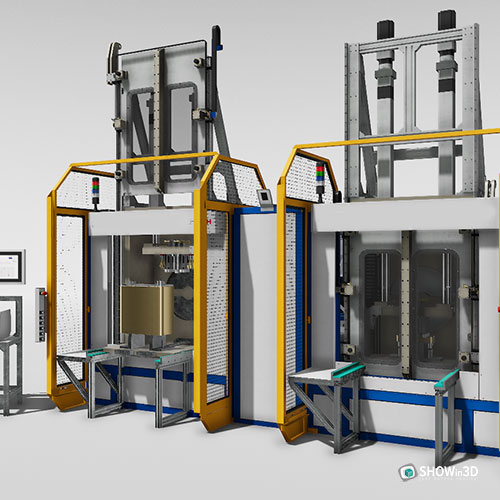
Virtual configurator for industrial machinery and equipment
This type of configurator goes beyond the single machine:
it makes it possible to manage entire sets of equipment or modular systems, simulating complex configurations such as:
- workstations
- assembly lines
- material handling systems
The user can put together complete solutions, view compatibility between components and receive detailed quotes already configured.
3D configurator for plants and production lines
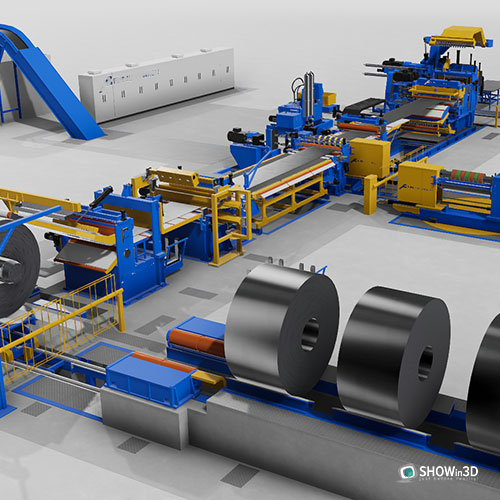
When it comes to complex industrial plants, the ability to represent spatial and functional relationships between machines becomes crucial.
The 3D configurator for plants makes it possible to:
- arrange machinery within predefined layouts
- simulate production flows
- check footprints, connections and operating paths
A particularly useful tool for manufacturing, industrial automation and logistics.

3D configurator software for special machinery
Some industries require extremely customized configurations that cannot be standardized.
This is the case for:
- machinery for special processing
- customized equipment for niche industries
- devices designed to specific customer orders
This is where advanced 3D configurator software comes into play, capable of handling complex rules, unlimited options and non-predefined variants, while maintaining simplicity and immediacy for the end user.
Whatever the level of complexity, the industrial 3D configurator adapts to turn customization into a concrete opportunity.
Key features of industrial 3D configurator software
A new-generation industrial 3D configurator does not just show a product:
it interacts, processes and guides the customer along a path of discovery and customization.
Here are the key features that make these solutions so effective:
3D visualization of industrial machinery
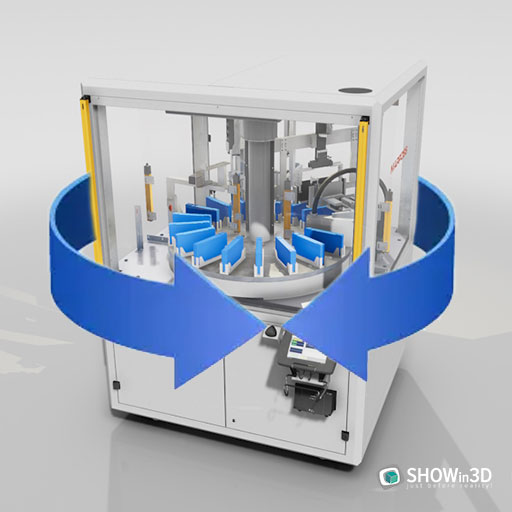
The heart of the configurator is the realistic three-dimensional representation of the product.
Every change selected by the user is reflected in real time, making it possible to:
- rotate
- zoom
The result is a precise perception of the product, its dimensions and its features.
3D animations for the industrial machinery sector
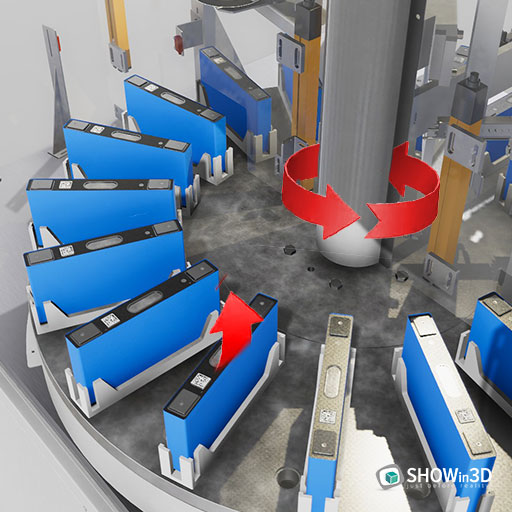
3D animations complement static configuration with movements and simulations.
They make it possible to:
- show the opening of doors or covers
- simulate the internal operation of mechanisms
- explore the operating cycle of the machines
Animations increase emotional engagement and improve the technical understanding of the product.
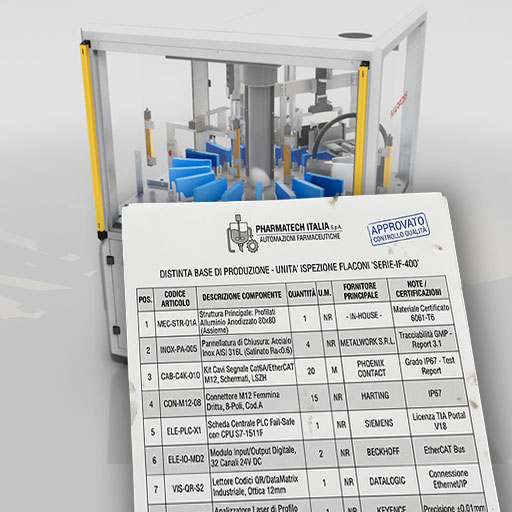
Automatic document generation (technical data sheets, 3D PDF)
At the end of the configuration, the system can automatically generate:
- detailed product sheets
- navigable 3D PDF files
- customized quotes
- complete bills of materials
This automates the sales workflow, speeds up order processing and reduces the margin of error.
Integration with ERP and CRM systems
The most advanced configurators can communicate directly with the main business systems:
- ERP (Enterprise Resource Planning) for order and production management
- CRM (Customer Relationship Management) for tracking customer interactions
This enables a continuous data flow, improving internal efficiency and offering an even smoother purchasing experience.

Compatibility with CAD formats for download
Many configurators also offer the option to download the configured product in one of the main CAD formats (e.g. STEP, IGES, DWG).
In this way, designers, customers and resellers can integrate the 3D model directly into their own workflows.
An industrial 3D configurator is not just a marketing tool: it is a technology platform that connects design, sales and production.
Software for the 3D configuration of industrial machinery
Choosing the 3D configurator software is crucial to the success of an industrial customization project. It is not just a matter of having good graphics: you need technical reliability, configuration flexibility and smooth integration into business processes.
There are several platforms on the market specializing in the 3D configuration of industrial machinery and equipment.
Some of the best-known and most widely adopted solutions include:
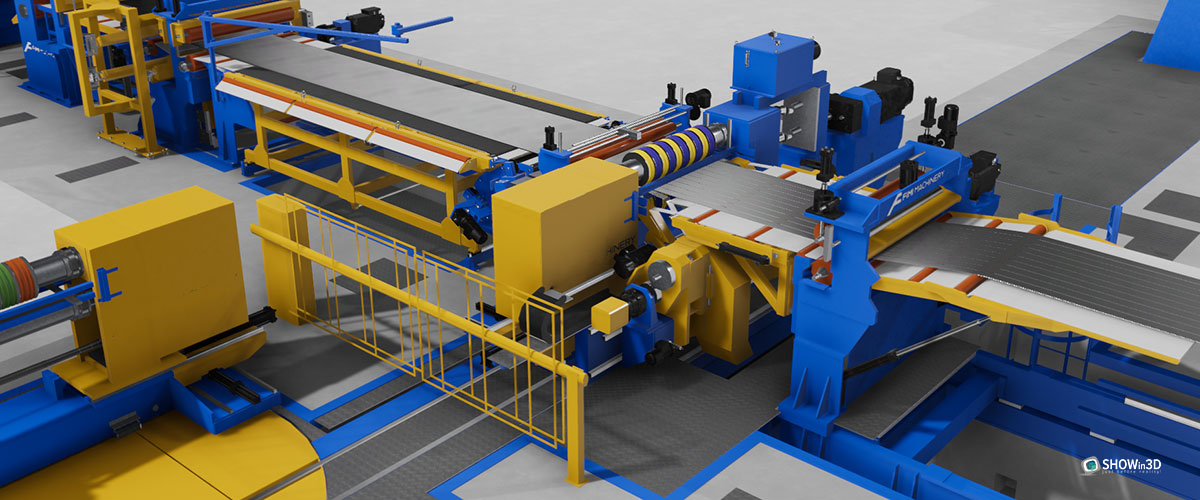
- Software based on real-time engines such as Unity or Unreal Engine, adapted to the industrial context
- Proprietary configurators custom-developed for specific needs
- Cloud platforms offering online 3D configuration accessible from any device
Software based on real-time engines
such as Unity or Unreal Engine, adapted to the industrial context
Proprietary configurators custom-developed
for specific needs
Cloud platforms
offering online 3D configuration accessible from any device
The choice depends on the type of product, the level of interactivity required and the company's strategic goals.
The main features to evaluate when choosing are:
Ease of use
The user interface must be intuitive and smooth, both for the end customer and for internal staff. A complex or cumbersome experience risks undermining the very effectiveness of the configurator.
- Market expansion such as Unity or Unreal Engine, adapted to the industrial context
- Proprietary configurators custom-developed for specific needs
- Cloud platforms offering online 3D configuration accessible from any device
Scalability and upgradability
The chosen software must be able to grow and evolve over time, adapting to:
- New product lines
- Technology updates
- Market expansion
The ability to easily modify or expand the available configurations is essential.
Support for online and offline configuration
A good configurator must offer flexibility of use, allowing:
- Configuration on a web platform for universal access
- Offline operation for trade fairs, showrooms or areas without a connection
This dual mode ensures operational continuity in every context.
Real-world implementations
Many industrial companies have already successfully implemented 3D configurators for:
- The customization of material handling systems and industrial automation
- The made-to-measure sale of agricultural machinery and machine tools
- The made-to-measure sale of agricultural machinery and machine tools
- The creation of configurators for specialized medical equipment
Each case confirms that the 3D configurator is not just a sales tool, but an accelerator of commercial and production innovation
Choosing the right software today means building tomorrow's competitiveness
Challenges and critical issues in adopting an industrial 3D configurator
Adopting an industrial 3D configurator is a strategic investment, but it is not without operational and management challenges. One of the main critical issues concerns development costs and implementation times, which can be significant, especially when aiming for highly customized solutions integrated into existing business processes.
Another key aspect to consider is the need for high-performance hardware and for ensuring cross-platform compatibility, so that the configuration experience runs smoothly on desktop, mobile and, in some cases, VR devices as well. Companies must also deal with the complexity of managing product variants, especially in industries where configurable options are numerous and subject to continuous technical or commercial changes.
Finally, to maximize the return on investment, it is essential to plan for training of sales and technical staff, so that they can use the configurator not only as an operational tool, but as an advanced communication and sales lever.
Overcoming these challenges means turning configuration from a technical process into a powerful value experience for the customer
Frequently asked questions about the industrial 3D configurator (FAQ)
Adopting an industrial 3D configurator often raises practical and strategic questions, from both companies and end customers.
In this section we answer the most common questions, to help you better understand how this technology works, its advantages and its potential.
What is a virtual configurator for industrial machines?
A virtual configurator for industrial machines is a digital platform that allows users to customize, visualize and configure machinery and equipment in a three-dimensional environment. Thanks to interactive 3D models and integrated configuration rules, the customer can select components, materials and options, getting a realistic preview of the final product even before production or ordering.
What advantages does 3D visualization of industrial machinery offer?
3D visualization makes it possible to understand at a glance the structure, functions and customization possibilities of an industrial machine.
Compared with technical data sheets or static photographs, an interactive 3D model:
- improves sales communication
reduces errors of interpretation or ordering - increases the customer's emotional engagement
- highlights design and construction details
It also makes it possible to speed up the decision-making process and improve the user experience.
Can the 3D configurator be integrated with your own e-commerce or CRM?
Yes, it is absolutely possible.
The most advanced industrial 3D configurators can be integrated directly with e-commerce platforms to manage orders configured online, or connected to CRM systems to track user preferences and behavior.
This integration makes it possible to automate the data flow, improve lead management, personalize sales offers and optimize the entire sales process.
How much does it cost to develop industrial 3D configurator software?
The cost of developing an industrial 3D configurator can vary considerably depending on several factors:
- technical complexity of the product to be configured
- number of variables and options available
- graphic quality required (standard or photorealistic)
- required integrations with external systems (ERP, CRM, e-commerce)
- mode of use (online only, offline, VR/AR)
In general, costs can start from a few tens of thousands of euros for basic solutions, up to more complex custom projects that require larger investments.
The assessment should always consider the return on investment in terms of increased sales, operational efficiency and competitive differentiation.
What kind of data is needed to create a custom 3D configurator?
To develop a custom industrial 3D configurator, you need:
- 3D models of the machinery (preferably in CAD formats such as STEP, IGES, FBX)
- bills of materials with the configurable options and their compatibilities
- detailed technical data sheets on materials, dimensions and performance
- up-to-date price lists for automatic quote management
- logical configuration rules defining the valid combinations between components
The more precise and structured the initial data, the smoother and more efficient the configurator development process will be.