
- Interactive 3D technology
- Use cases
-
Case studies
-
-
- Fashion
- Zegna X
-
- Automotive
- PEI Mobility
- UP Design
-
-
- Resources
- FAQ
- The Company
- Contacts
3D Texturing: the definitive guide to realistic textures with SHOWin3D
Textures, details, realism: today the line between virtual and real dissolves in a single click. 3D texturing is the digital art that turns cold geometry into surfaces pulsing with life, able to fool the eye and engage the senses.
In a world where the visual experience determines the success of any digital project, mastering the art of texturing is no longer an option but a necessity. Whether you are designing an immersive video game, a product configurator or a photorealistic architectural visualization, the quality of your textures will be the deciding factor between an ordinary result and a memorable experience.
In this guide we will explore the vast universe of 3D texturing with a particular focus on SHOWin3D, Shin Software's innovative 3d software that is redefining industry standards.
Together we will discover:
- the fundamental principles of 3D texturing,
- advanced UV unwrapping techniques,
- the best-performing texture formats for different contexts,
- and how SHOWin3D can turn your creative workflow into a smooth, intuitive and surprisingly powerful process.
Whether you are a seasoned professional or an enthusiast just starting out, this guide will give you the tools to take the visual quality of your 3D projects to the next level.
What 3D texturing is and why it is essential
3D texturing is the artistic and technical process of applying colors, patterns and surface characteristics to three-dimensional models. It is the crucial step that turns an anonymous polygon mesh into a recognizable, realistic object.
Imagine you have sculpted a statue that is perfect in its form, but completely white and smooth: texturing is like painting that statue, giving it not only color but also roughness, reflections, transparency and all those qualities that make it alive and tangible. It is the difference between seeing a mannequin and a person, between a sketch and a finished work of art.
Texturing is so important that it can even compensate for the limitations of a geometrically simple 3D model. A well-made texture can suggest details that do not actually exist in the geometry, saving precious computing resources while keeping a high visual impact.
The role of textures in the 3D workflow
In the 3D content creation process, texturing sits strategically between modeling and final rendering. It is the moment when the model really starts to come to life and tell its story.
A complete workflow typically includes:
- Modeling: creating the base geometry
- UV Unwrapping: preparing the “canvas” to paint on
- Texturing: applying materials and textures
- Lighting: setting up the lighting
- Rendering: processing the final image
Each texture plays a specific role in this visual ecosystem:
● Diffuse maps determine the base color
● Normal maps simulate geometric detail without adding polygons
● Specularity maps control reflections
● Roughness maps define how rough surfaces are
Together, these different layers create the illusion of complex materials such as leather, metal, fabric or glass, each with its own distinctive physical characteristics.
The UV unwrapping process: the foundation for quality textures
Principles of UV unwrapping
Before you can apply any texture to a 3D model, you need to create a UV map: a process comparable to peeling an orange and flattening its peel onto a surface. This two-dimensional “skin” of the 3D model is the canvas on which the textures will be painted.
UV unwrapping is an art in its own right that requires precision and strategic planning. A good unwrap must:
- Minimize texture distortion when it is applied to the 3D model
- Optimize the use of space on the UV map
- Place the seams in barely visible areas
- Keep the proportions of the different parts of the model

Think of geographical maps: it is impossible to represent a sphere perfectly on a flat surface without some distortion. The same principle applies to UV unwrapping, where the goal is to make these inevitable distortions as unnoticeable as possible.
Advanced unwrapping techniques with SHOWin3D
SHOWin3D takes UV unwrapping to new levels of efficiency and precision, offering tools that drastically simplify this traditionally complex process.
The platform includes advanced features such as automatic detection of optimal seams and UV island normalization, which allow even less experienced users to achieve professional results in less time.
Managing non-overlapping UVs in SHOWin3D
One of the most common problems in UV unwrapping is overlapping islands, which can cause unwanted visual artifacts. SHOWin3D implements a proprietary overlap prevention system that automatically analyzes and corrects problematic UV maps.
This tool identifies overlapping areas, highlights them visually and suggests smart corrections, eliminating hours of tedious manual adjustments and ensuring textures free of anomalies.
Texel density optimization
The system analyzes the distribution of texel density and suggests optimizations for areas that need more detail, such as faces in a character model or labels on a product, ensuring that important details stay sharp even at close range.
Texel density – the number of texture pixels per unit of surface of the 3D model – is a critical factor for the final visual quality. SHOWin3D automatically maintains a minimum texel density of 512 pixels/meter across the whole model, with support for textures up to 4096×4096 pixels.
Texture formats in modern 3D
Texture formats supported by SHOWin3D
- ASTC (Adaptive Scalable Texture Compression): ideal for modern mobile devices, with support for 1-4 channels (RGBA, RGB) and flexible bit rates from 0.89 to 8 bpp. It excels at compressing complex textures while maintaining high visual quality.
- DXT/S3TC (DirectX Texture Compression): optimized for desktop applications, it uses fixed 4×4 blocks for extremely fast decompression. Perfect for projects where performance is the priority.
- PVRTC (PowerVR Texture Compression): a format developed specifically for iOS devices, with 2bpp and 4bpp options. It ensures optimal compatibility with the entire Apple ecosystem.
- ETC2 (Ericsson Texture Compression): a vendor-neutral format, ideal for cross-platform mobile applications. It offers a good compromise between quality and file size.
This versatility makes it possible to use SHOWin3D for projects aimed at any platform, from the web to mobile devices, from desktop applications to virtual reality.
Textures for photorealistic rendering with SHOWin3D
Texture quality settings in SHOWin3D
Photorealism has become the de facto standard for architectural visualizations, product configurators and immersive experiences. SHOWin3D excels in this area thanks to a multi-level texture management system that automatically optimizes visual quality based on the viewing context.
The platform implements four preset quality levels:
This versatility makes it possible to use SHOWin3D for projects aimed at any platform, from the web to mobile devices, from desktop applications to virtual reality.
Optimization techniques for high-resolution textures
Working with high-resolution textures poses significant challenges in terms of performance and memory management. SHOWin3D implements cutting-edge techniques to overcome these limitations:
- Progressive texture streaming: initially loads low-resolution versions and progressively refines the details, reducing waiting times
- Automatic texture LOD: dynamically adjusts texture resolution based on the distance from the camera
- Smart texture atlasing: combines multiple textures into a single file to reduce server calls
- Adaptive texture cache: stores the most frequently used textures locally to improve loading times
Thanks to these technologies, SHOWin3D makes it possible to use Ultra HD textures (up to 4K) even in web and mobile applications, while maintaining flawless smoothness and responsiveness.
Software for creating realistic textures: SHOWin3D compared
Exclusive advantages of SHOWin3D
In the competitive landscape of 3D texturing software, SHOWin3D stands out with distinctive features that make it particularly effective for modern professional workflows.
Unlike traditional solutions that require complex installations and dedicated hardware, SHOWin3D offers a cloud-native approach with browser-based access, removing technical barriers and enabling real-time collaboration between globally distributed teams.
The platform stands out for:
- Real-time rendering with seamless 3D manipulation: lets you instantly see the result of every texture change, drastically speeding up creative iteration cycles
- Browser-based accessibility with no plugins: works on any modern device without installation, democratizing access to professional tools
- Cross-platform compatibility: a single project can be displayed correctly on desktop, mobile and VR/AR without conversions or manual adaptations
- Codeless creation with a visual editor: lowers the barrier to entry, allowing even people without programming skills to create interactive 3D experiences
- Cloud-native deployment: eliminates infrastructure complexity, enabling immediate publishing and updates without service interruptions
These advantages translate into faster workflows, more productive teams and visually superior results.
Testimonials and success stories
Professionals who use SHOWin3D especially appreciate its unique combination of power and accessibility. As Patrick, a user for 3 years, says:
I have used SHOWin3D for 3 years and it is an extraordinary software tool for creating 3D spaces. I have used it to showcase my clients' products both on desktop and on app/AR, simply wonderful. I have never had any technical problems and the support is great
Among the most emblematic success stories:
SIPRO - Virtual Showroom
The Sipro project, carried out by Shin Software, is a significant digital transformation initiative for Sipro Sistemi Programmabili, an Italian company specializing in the design and manufacture of motion control solutions. In response to the challenges posed by the COVID-19 pandemic, which limited physical interactions and participation in industry trade fairs, Sipro worked with Shin Software to develop an advanced virtual showroom. Using the proprietary SHOWin3D platform, an immersive digital space was created that lets visitors explore and interact with Sipro products in detail, viewing them from different angles and simulating their performance in various operating contexts. This approach allowed Sipro to maintain a constant connection with customers, agents and distributors worldwide, overcoming the limitations of traditional presentations and offering an engaging and informative experience.


BINI - 3D Configurator for Luxury Fabrics:
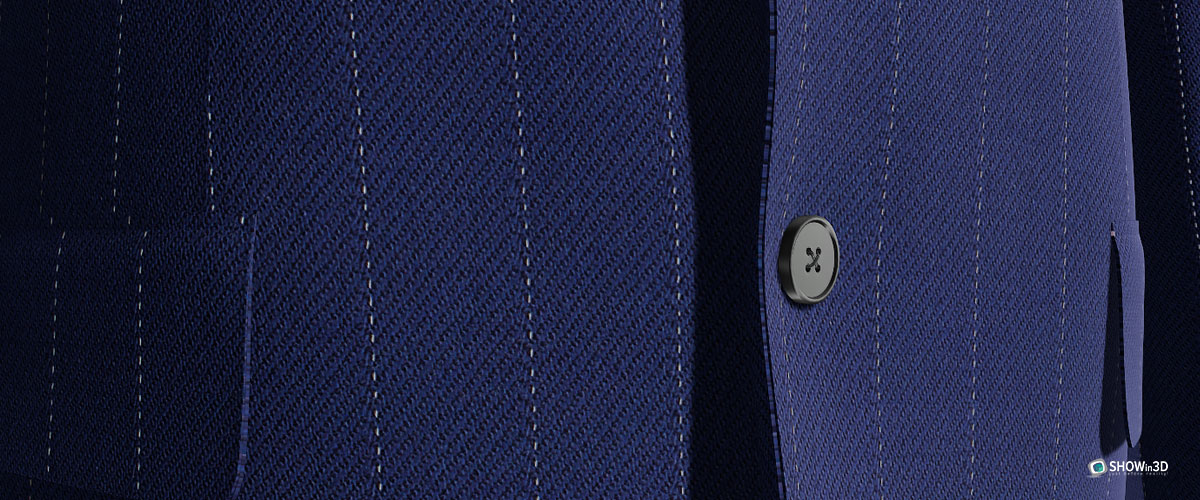
The renowned fabric manufacturer has implemented a configurator that lets customers apply very high-quality textures to products, seeing in real time how the different materials interact with light.
These examples show how SHOWin3D is transforming different industries, offering visual experiences that were previously possible only with far higher budgets and production times.
Practical applications of 3D texturing in different industries
3D texturing in architecture and interior design
The architecture industry was among the first to embrace the potential of advanced 3D texturing, radically transforming the way projects and spaces are presented and marketed.
With SHOWin3D, architecture firms and interior designers are creating immersive architectural visualizations that let clients explore spaces not yet built with a level of realism that was previously impossible.
Textures of materials such as wood, marble, fabrics and glass are reproduced so faithfully that they support informed decisions on finishes and materials. Architects can show how natural light will interact with different finishes at various times of day, or how various furnishing options will look in the designed space.
This ability to visualize the finished environment before the first stone is even laid is drastically reducing costly errors and last-minute changes of mind, speeding up decision-making and increasing customer satisfaction.
3D texturing in gaming and entertainment
The gaming and digital entertainment industry poses the most complex challenges for 3D texturing, demanding maximum realism and optimal performance at the same time.
SHOWin3D meets these conflicting needs with advanced technologies that make it possible to create photorealistic game environments while maintaining high frame rates, which are essential for a smooth gaming experience.
Developers are using advanced texturing capabilities to:
- Create characters with incredibly realistic skin, hair and clothing
- Develop settings with materials that react dynamically to environmental conditions
- Implement visual effects that simulate the natural deterioration, dirt or wear of materials
These techniques not only increase player immersion, but also make it possible to tell stories in a more engaging way through visual details that enrich the narrative.
Getting started with 3D texturing: a practical guide with SHOWin3D

Setting up the work environment
Getting started with SHOWin3D is surprisingly simple thanks to its cloud-native approach. Unlike traditional software that requires complex installation and configuration procedures, SHOWin3D only needs a modern browser and an internet connection.
The system requirements are minimal:
● Chrome, Firefox, Safari or Edge browser updated to the latest version
● Stable internet connection (minimum 5 Mbps)
● For basic projects, any modern computer is sufficient
For more complex projects or very high-resolution textures, we recommend:
● 8GB RAM or more
● Dedicated graphics card with WebGL 2.0 support
● Recent multi-core processor
The intuitive interface is designed to be immediately understandable, with logically organized tools and immediate visual feedback. A guided tour introduces new users to the main features, so they can be productive from the very first minutes.
Tutorial: your first texturing project with SHOWin3D
Creating your first texturing project with SHOWin3D takes just a few steps:
- Import the model: upload your 3D model in the most common formats (OBJ, FBX, glTF) or choose from the template models available in the library
- Automatic UV analysis: SHOWin3D will automatically analyze the existing UV maps or suggest optimizations
- Select materials: choose from the library of pre-configured PBR materials or create your own custom materials
- Apply textures: paint directly on the 3D model or assign textures to specific parts of the model
- Real-time preview: instantly see the result in different lighting environments
- Export or publish: save the project for further editing, export the textures or publish the interactive experience directly
This codeless development makes professional texturing accessible even to those without advanced technical skills, democratizing tools previously reserved for specialists.
The gentle learning curve lets you achieve satisfying results from the very first attempts, while the advanced features remain available to more experienced users who want granular control over every aspect of the process.
3D texturing is at a turning point: on the one hand, user expectations are growing exponentially, demanding ever higher levels of realism; on the other, technological progress is making professional tools accessible to an ever wider audience.
In this dynamic context, SHOWin3D emerges as a pioneer of an approach that combines professional power and democratic accessibility. The platform continues to evolve with the development of cutting-edge features such as AI-assisted texturing, dynamic procedural materials and ever deeper integration with collaborative workflows.
For professionals and companies, this represents an unprecedented opportunity: the chance to create cinematic-quality visual experiences with drastically reduced time and budgets, opening up new markets and new ways of interacting with customers and users.
The future of 3D texturing is here, and it is more accessible, powerful and engaging than ever.